
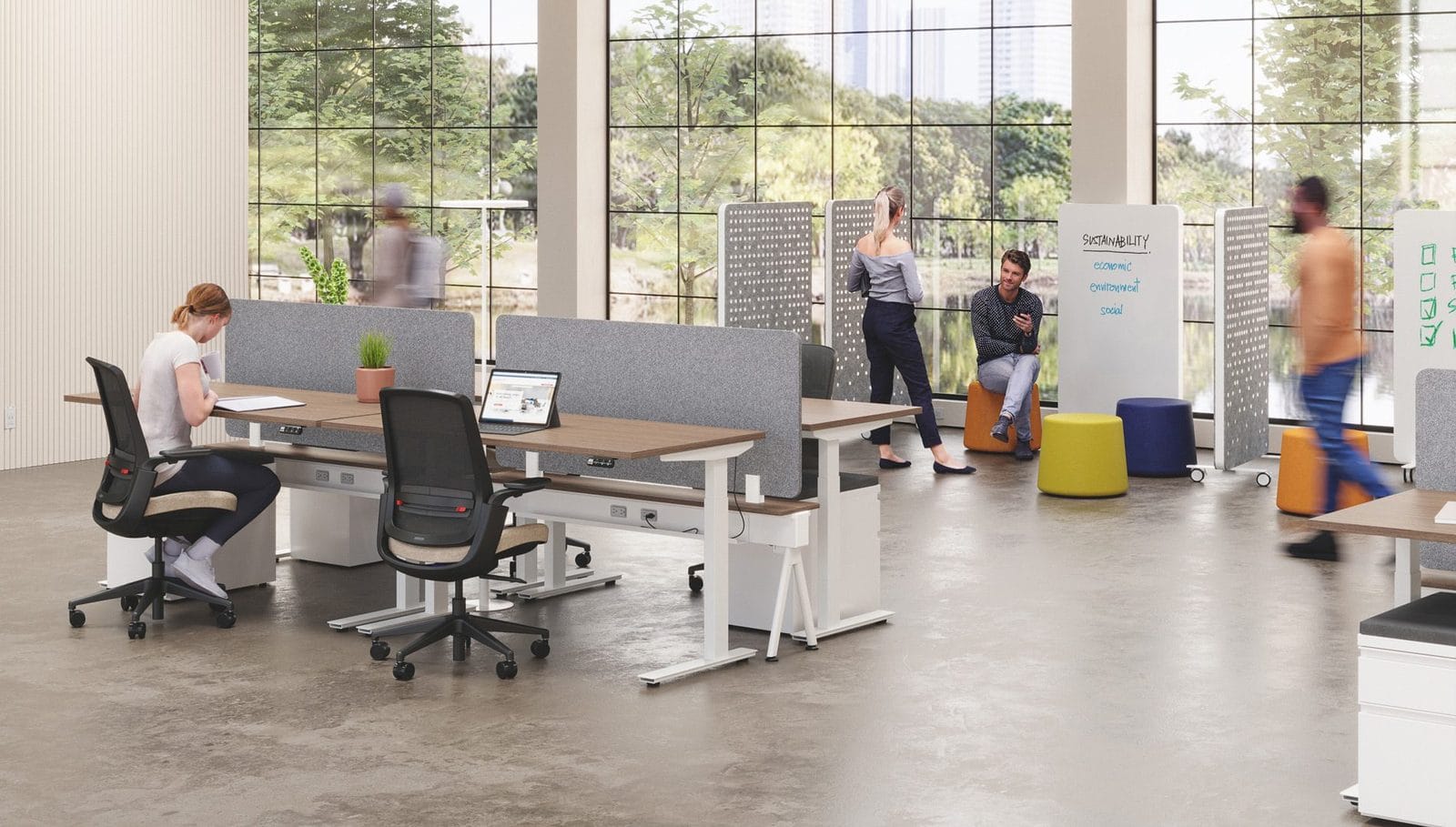
The top ergonomic office trends focus on comfort, movement, and flexible space. Sit-to-stand desks, supportive chairs, and quiet zones help people work well and feel good all day.
Why Does Ergonomic Design Matter?
People spend many hours at their desks. A poor setup can cause sore backs, tight necks, and tired eyes. Good ergonomic design helps your team stay comfortable and focused. It also shows people that you care about their health.
Sit-to-Stand Desks and Dynamic Workstations
People are not made to sit all day. Height-adjustable desks let your team switch between sitting and standing. That small change adds movement to the day. Browse our sit-to-stand desks to see the options.
Supportive Chairs That Fit Each Person
A good chair adjusts to the person who sits in it. Look for seat height, lumbar support, and armrests that move. Our ergonomic seating page shows chairs built for long days.
Flexible and Modular Layouts
Teams change. A modular layout lets you move desks and walls as your needs shift. You can add a workstation or build a meeting zone without a full redo. Planning ahead saves money later.
Quiet Spaces and Privacy
Noise makes it hard to focus. Many offices now add quiet zones, panels, and small private rooms for calls. A privacy pod gives one person a calm place to work or take a call.
Hybrid Work and Shared Desks
Many teams now split time between home and the office. Shared desks and flexible seating fit that pattern. Each desk should still adjust, so every person can set it up in a minute.
Better Light and Screen Setup
Eyes get tired when screens sit too high, too low, or too close. Set the top of the screen at or just below eye level. Place it about an arm's length away. Soft, even light also helps cut glare on the screen.
Comfort for Every Body Type
No two people are the same size. A desk that fits one person may feel wrong to another. Adjustable pieces solve that problem. Add tables and seats in different sizes, so everyone finds a good fit. This also helps people of all ages and abilities feel welcome at work.
Small Habits That Support Good Furniture
Furniture helps most when people use it well. Remind your team to take short breaks and stretch. Show them how to adjust a chair and a desk. A five-minute walkthrough can make a big difference.
Which Ergonomic Upgrades Should You Start With?
You do not need to change everything at once. Start with the items people use most. Chairs and desks usually come first. Then add small tools that fix common problems.
- Adjustable chairs with lumbar support
- Height-adjustable desks
- Monitor arms to set screens at eye level
- Footrests for shorter users
- Panels or pods for quiet work
How Can You Plan an Ergonomic Office?
Begin with your people. Ask what hurts and what slows them down. Then match the furniture to those needs. Capital Choice offers full-service layout planning and a free 3D drawing of your office layout before you buy. Learn more on our office design page.
Ready to build a more comfortable office? Request a quote or call Capital Choice at (614) 332-1828. We are open weekdays 9 to 5.
Have a question this did not answer?
Call 614.332.1828 and ask a person. We have been doing this for twenty years and we will give you a straight answer.